
This is an option that will give you access to some special reports from bFiskur, it happens that to build a report a process is required that combines the content of several vaults, so a simple export to Excel or a BI report is not enough.
Some of the reports available here are:
- Consolidated CFDI Issued Report. The report includes the most important information of an issued CFDI and includes information about the concepts contained in the invoice. If the invoice contains several lines, the report consolidates all lines into one.
- Consolidated CFDI Received Report. The report includes the most important information of an issued CFDI and includes information about the concepts contained in the invoice. If the invoice contains several lines, the report consolidates all lines into one.
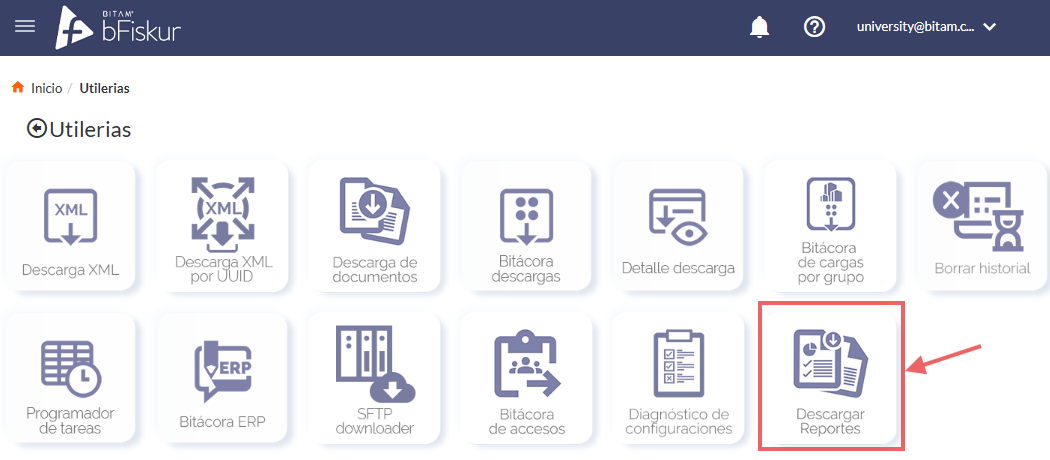
You will find this option in the utilities menu, the icon is called Download Reports as shown in the following image.
Steps to consult a report
Follow these steps to perform the consultation of a report
| Click on the download reports icon within the utilities section. | 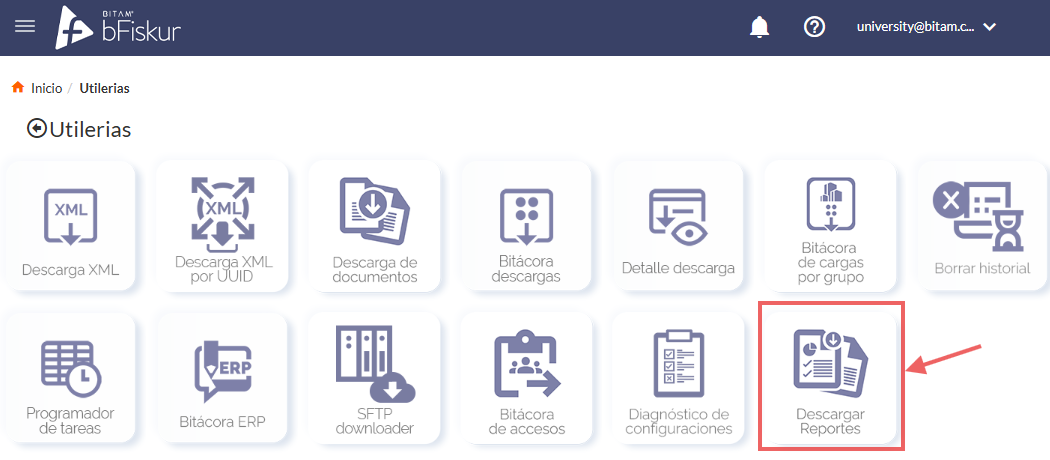 |
| Click on the (+) icon to tell bFiskur that you want a report. | 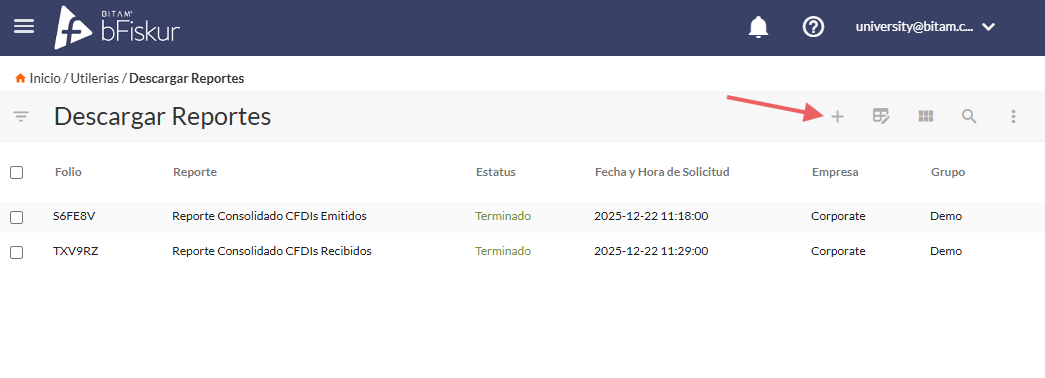 |
Select the appropriate parameters:
| 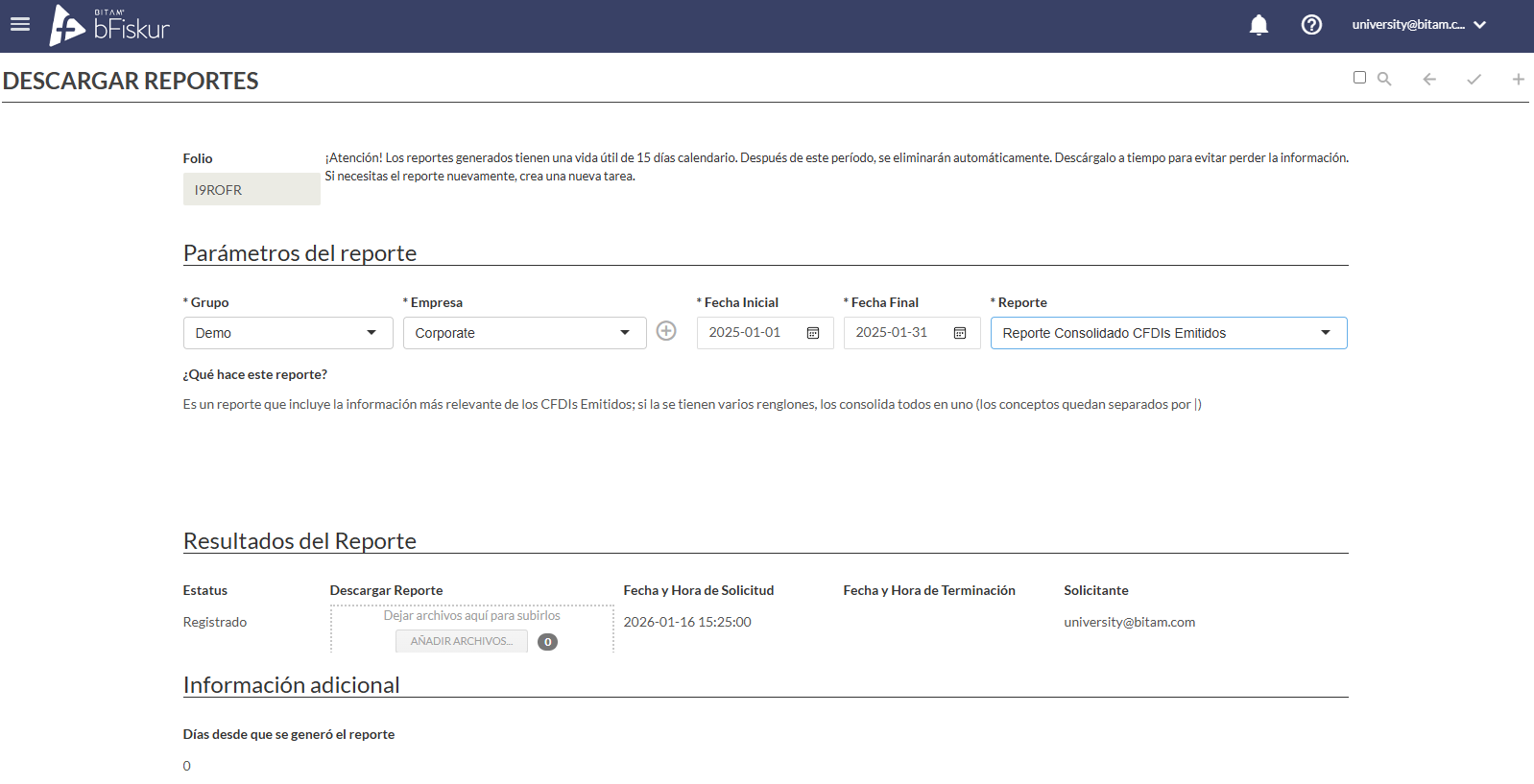 |
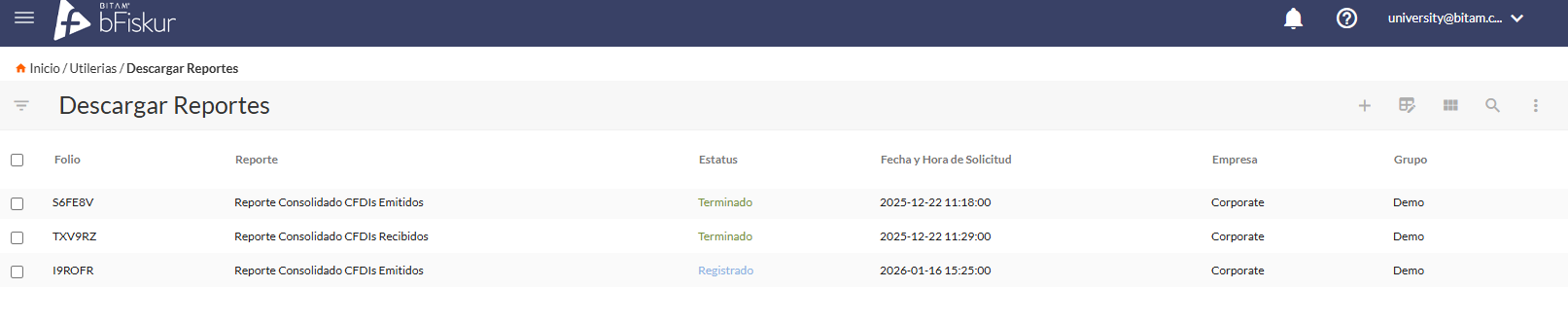
| Once you save it, a line will appear here for each report you have requested. It will take bFiskur between 5 and 10 minutes to prepare the information that the report contains, once the report is available it will be sent to your email inbox. The possible statuses of the report calculation are:
|  |