
Imagine that bFiskur is a giant library where we keep information about companies. An important part of this information is whether a company is considered an "EFO" (Company that conducts nonexistent operations) or "Noncompliant".
To keep this information always updated, bFiskur uses two main sources:
- The SAT: It's like going to the government library to request the most recent list of companies that have been identified as EFOs. The 2 lists 69 and 69B are consulted to obtain this information.
- The Official Journal of the Federation (DOF): It's like reading the official government newspaper to stay informed about any new news regarding changes in the status of companies.
How does this process work?
bFiskur constantly searches these two sources to find any changes in the status of companies. When it finds a change, it adds or updates it in its database.
Why is it important?
Keeping this information updated is crucial for:
- Identifying risks: Knowing if a company you work with is on the EFO list helps you prevent legal and financial problems.
- Make informed decisions: You can use this information to decide who to do business with.
Download of official Lists 69B (EFOs)
The process first checks the official list of EFOs (List 69b) on the SAT Portal page:
http://omawww.sat.gob.mx/cifras_sat/Paginas/datos/ListCompleta69B.html
Check if the last update date is later than the last update date recorded in bFiskur; if it is the same date, the process will end at that moment without making any updates to the forms described above.
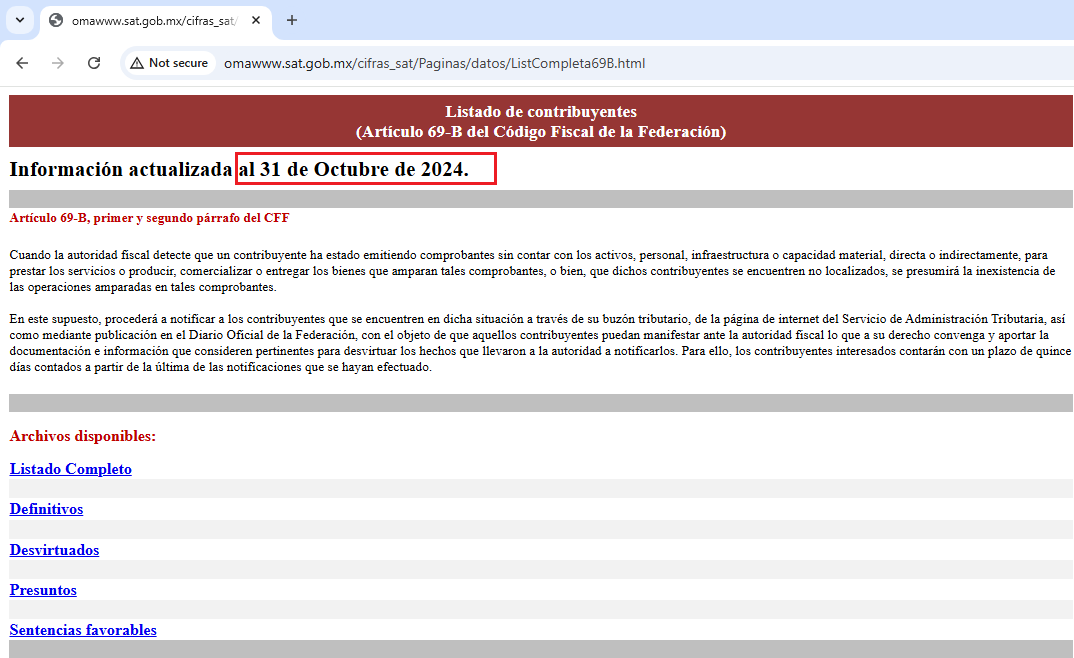
If it is detected that the portal list has been updated more recently than the last update in bFiskur, it will initiate the process of downloading and fully updating the EFOs from the official SAT list.
Subsequent to the update of the EFO forms, a process is carried out to update the information in bFiskur in the following locations.
Clients and Suppliers. EFO Situation: Indicates the “EFO” status of the RFC among the possible values:
- Definitive
- Presumed
- Discredited
- Favorable Ruling
- Clients and Suppliers. Start in EFOs: Contains the date of the oldest status that exposed it as an EFO, considering both the direct List from the SAT portal and the DOF page where the most recent EFOs are published.
- Clients and Suppliers. EFOS (List 69B): Indicates whether the RFC is found or not as EFO by means of a String with the values “Yes” or “No” (once an RFC is marked as EFO, bFiskur will NOT remove it from that status, meaning this field will NOT change and its record will NOT be removed from the EFOs form, this same rule applies to the 4 fields described in this section for Clients and Suppliers, and in general for the EFOs form)
- Clients and Suppliers. Last Update EFOS: Given that the insertion/update was carried out due to being on the recently downloaded list, this field will take the value of the Last update date of the list where the RFC was last found when processed by bFiskur through this process.
Download of official Lists 69 (Non-compliant)
The process is essentially the same as for the EFOs, with the obvious differences in the source of the information and the destination forms within bFiskur. In the case of the Non-compliant list (List 69), the download is carried out from the following page:
http://omawww.sat.gob.mx/cifras_sat/Paginas/datos/ListCompleta69.html
This page also contains a Last update date which is compared just like in the case of the EFOs, however unlike the previous process, here the download and processing is done from 4 possible sources depending on the “Non-compliant” status in question: “Not located”, “Firm”, “Enforceable” and finally “Deleted” (the latter have not been displayed on the page for months, the process still searches for them, but they are currently no longer processed, so nothing can be done to try to remove them from the “Non-compliant” status):
http://omawww.sat.gob.mx/cifras_sat/Documents/No%20localizados.csv
http://omawww.sat.gob.mx/cifras_sat/Documents/Firmes.csv
http://omawww.sat.gob.mx/cifras_sat/Documents/Exigibles.csv
http://omawww.sat.gob.mx/cifras_sat/Documents/Eliminados.csv
The process after the download is the same as in the case of EFOs. Once the information is downloaded, it is updated in the following locations:
Clients and Suppliers. Situation Non-compliance: : Indicates the “Non-compliance” status of the RFC among the possible values:
- Not located
- Firm
- Enforceable
- Deleted
- Clients and Suppliers. Start in Non-compliance: Contains the date of the oldest status that exposed it as Non-compliant
- Clients and Suppliers. Non-compliance (List 69): Indicates whether the RFC is or is not marked as “Non-compliant” through a String with the values “Yes” or “No” (once an RFC is marked as “Non-compliant”, bFiskur will NOT remove it from that status, meaning this field will NOT change and the record will NOT be deleted from the “Non-compliance” form, this same rule applies to the 4 fields described in this section for Clients and Suppliers, and in general for the “Non-compliance” form)
- Clients and Suppliers. Last Act Non-compliance: Given that the insertion/update was carried out due to being in the recently downloaded list, this field will take the value of the last update date of the list where the RFC was last found when processed by bFiskur through this process.
In the same way, this information will be uploaded to the WebService if the company is configured to support it.
List updates from the DOF
The process of updating Companies that Invoice Non-existent Operations (EFOs) through the Official Journal of the Federation (DOF) is a bit different from downloading from the official SAT lists. Here I explain how it works:
1. Identification of the Last Update:
- First, the last date an EFO was updated in bFiskur is identified, both from the SAT portal and using the DOF method.
2. Search in the DOF:
- Then, search the DOF page for all notes regarding changes in the status of EFOs after the previously identified maximum update date. This is done by filtering for the phrase “list 69” in the DOF news portal.
3. News Review:
- Once the news list is loaded, each one is reviewed to identify keywords that indicate the type of EFO status being reported. This can be complicated, as the portal may change without notice, affecting the identification process.
4. Information Processing:
- If the status of an EFO can be identified, the content of the page is analyzed, which generally includes several tables with information such as the authority that issued the document, issuance dates, notifications, folios, etc. All this information is processed to clean characters that may cause problems when inserting or updating it.
5. Database Update:
- With the complete list of identified EFOs, the EFO forms from the DOF are consulted to verify if it is a pre-existing EFO or if it needs to be inserted. Depending on this, bFiskur is updated to modify the fields that indicate changes in the EFO status, or the information is inserted with the fields related to the EFO status and the general data of the RFC.
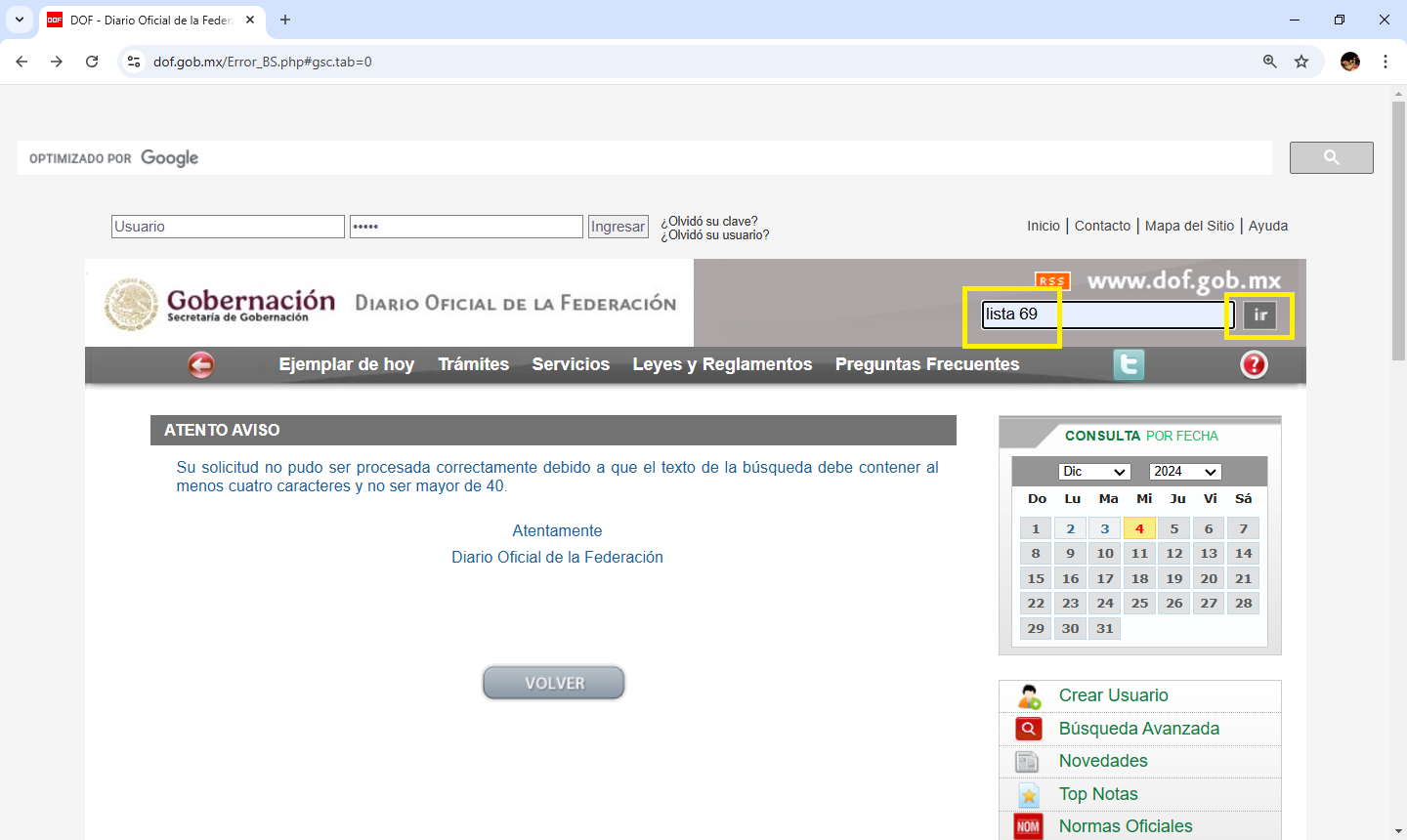
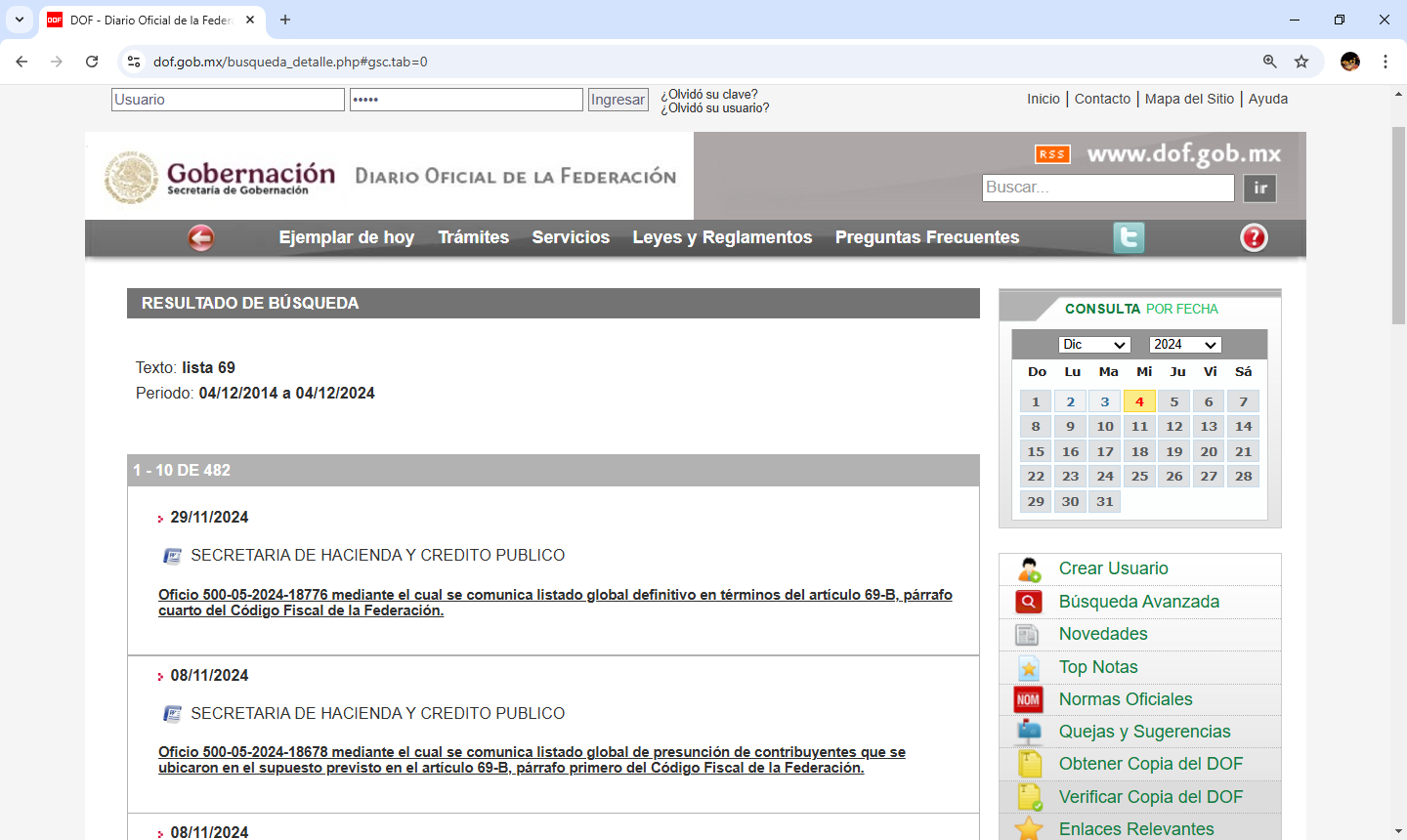
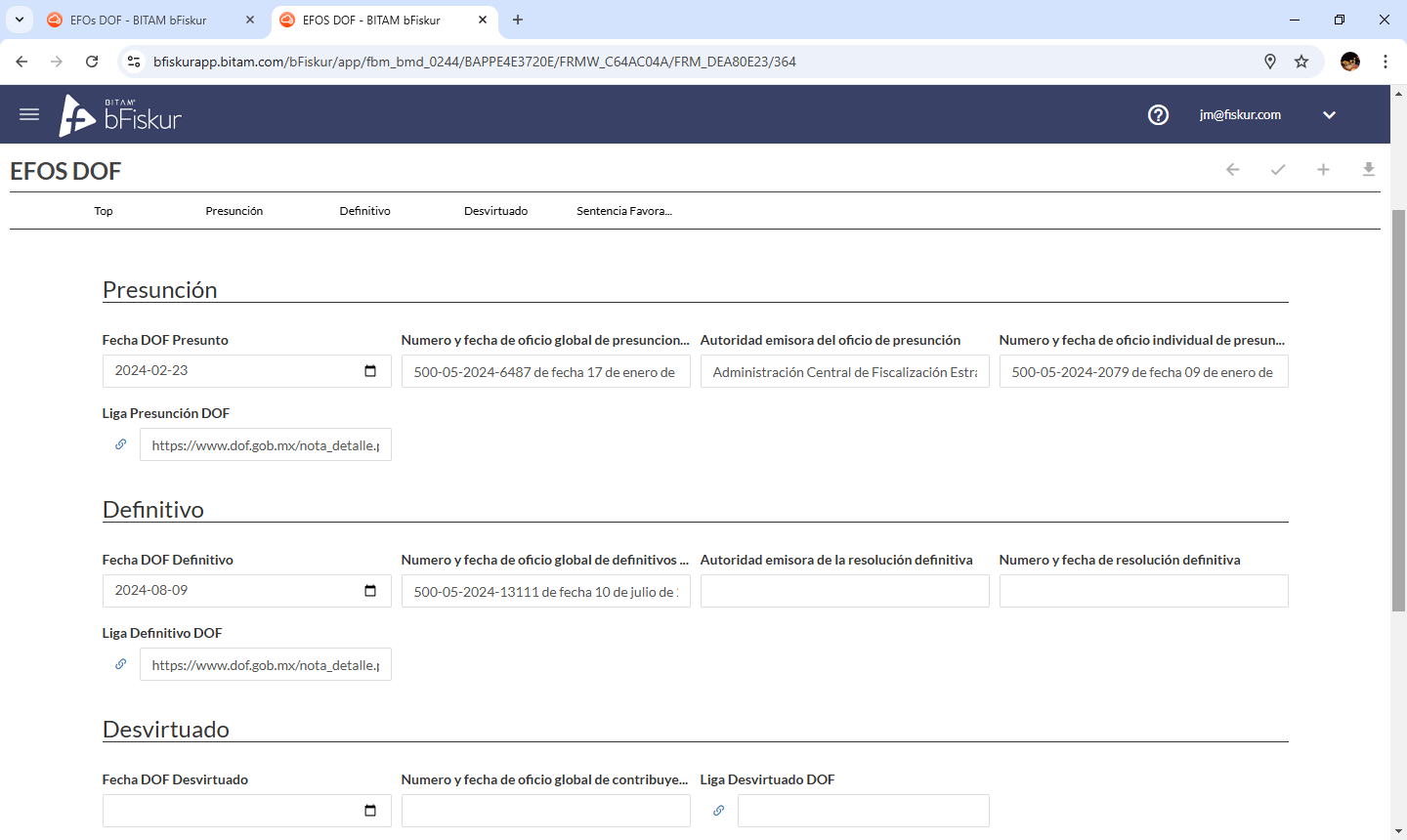
Important: the field “Currently on List” must indicate that it is NOT yet on the official lists in those forms if the RFC in question already appears in the DOF but not in the lists.