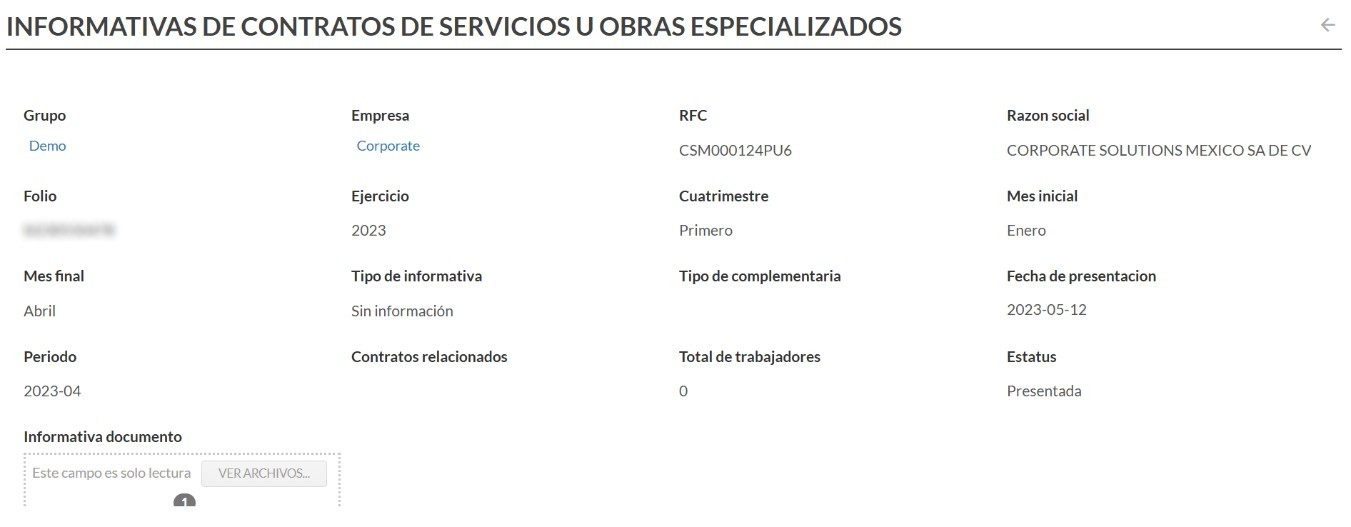
This new functionality in bFiskur allows for downloads of the informative contracts for specialized services or works directly from the IMSS portal, the information is obtained from the following page: https://s-icsoe.imss.gob.mx/gui-icsoe-web/auth/login.
The credentials from the SAT (.cer, .key, and password) are used to access the portal.
To configure the download of the informative, it is necessary to activate it within the Companies form, the configuration is located in the section “IMSS Connection Data”
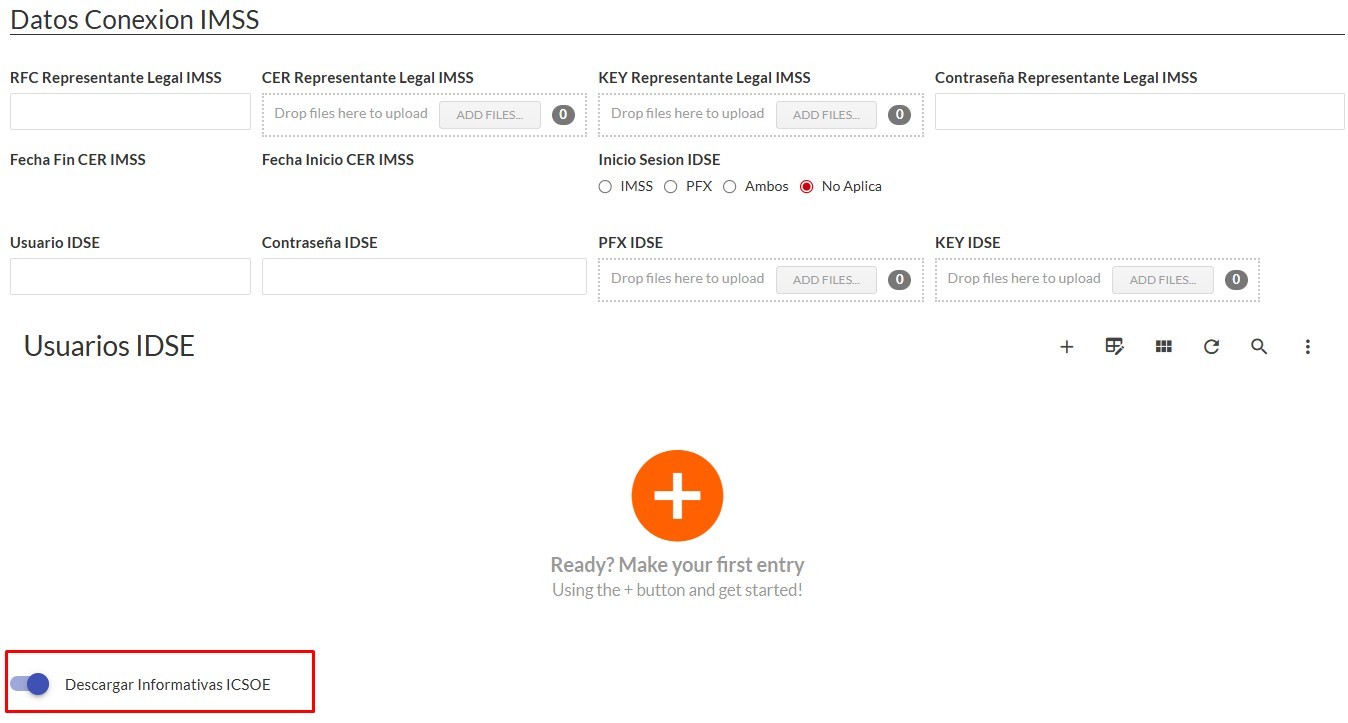
Once the company is configured to download the ICSOE informatives, a log can be created manually.
Scheduler for ICSOE Informative.
A scheduler will be configured so that logs are created automatically for the configured companies, since the informative is presented quarterly, it will be generated every 4 months and the required period will be downloaded.
Creation of manual log.
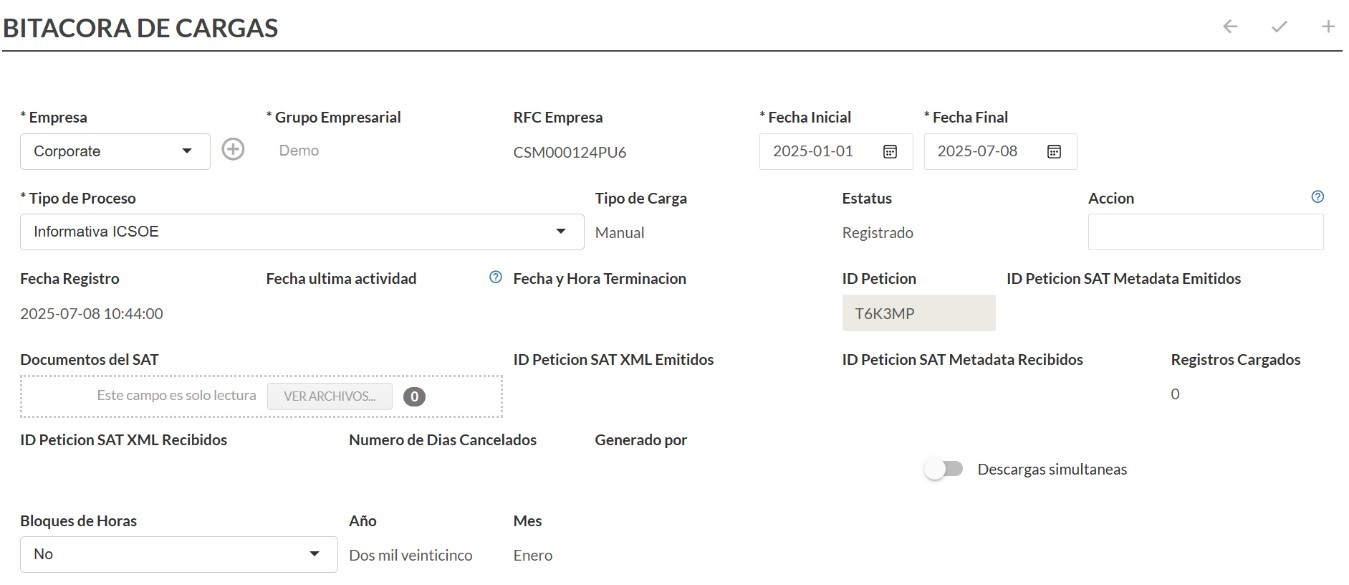
To download the history of the ICSOE informatives, it will be necessary to create a log manually by selecting the date ranges you want to download.
To create the log manually, you should go from Home to Utilities and enter Download Log
Create a new log and select in process type: Informative ICSOE
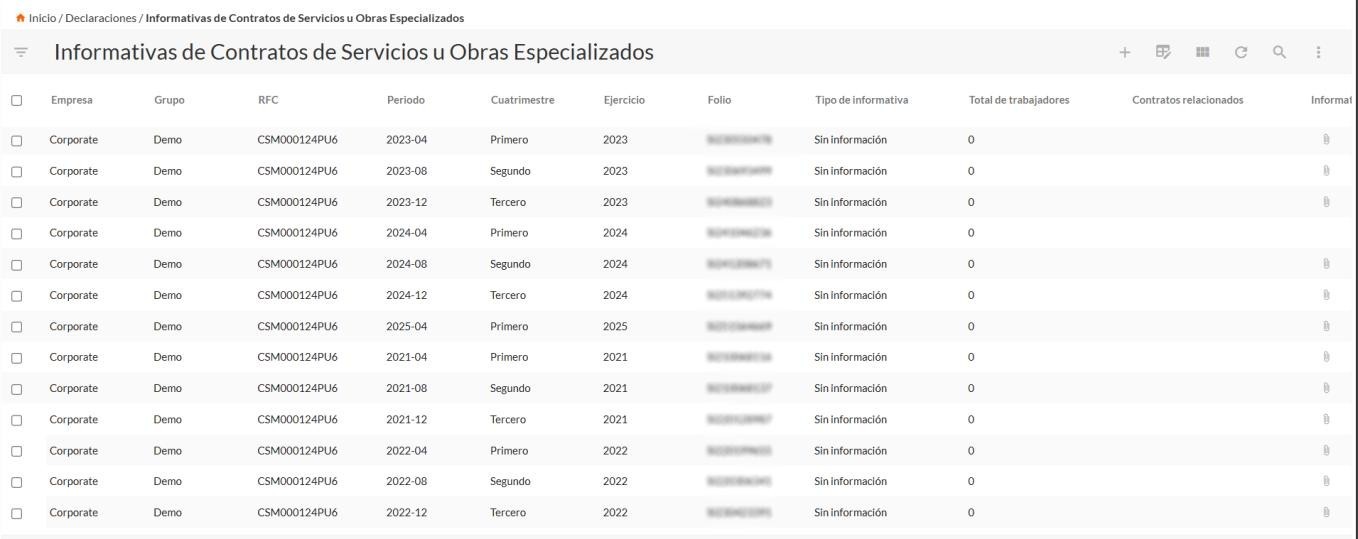
When the log is finished, the downloaded content will be reflected in the vault of Informative Contracts for Services or Specialized Works, which is located within the “Declarations” menu, each informative will have its PDF.
Vault of Informative Contracts for Services or Specialized Works
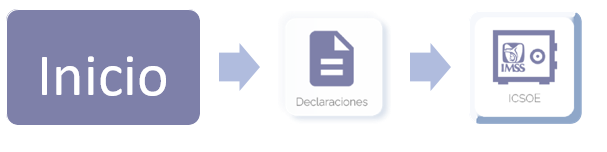
View of the vault of Informative Contracts for Services or Specialized Works:
Example of record: