It is a digital tool that helps you identify and prevent tax problems in your business. It works like a kind of "vault" where all the risks detected in your tax receipts (CFDI) and declarations are stored.
How does it work?
- Automation: An intelligent system automatically analyzes all your tax documents and compares them with a database of known risks.
- Detection: If it finds any irregularity or potential problem, it marks it and saves it in the vault.
- Analysis: It presents you with a detailed report of all identified risks, indicating what type of risk it is, in which document it was found, and other relevant information.
Why is it useful?
- Prevention: It allows you to detect tax problems before they become major inconveniences.
- Security: It reduces the risk of audits, fines, and penalties.
- Peace of mind: It gives you the assurance that your business is complying with all tax obligations.
In summary, the fiscal risk meter of bFiskur® PRO is a very useful tool for any company that wants to have a thorough control of its tax situation. By automating the detection of risks, it allows you to save time and resources, and make more informed decisions.
In the following 2-minute video, we explain how the fiscal risk meter works:
Get to know the Fiscal Risk Meter
Steps to run the risk meter.
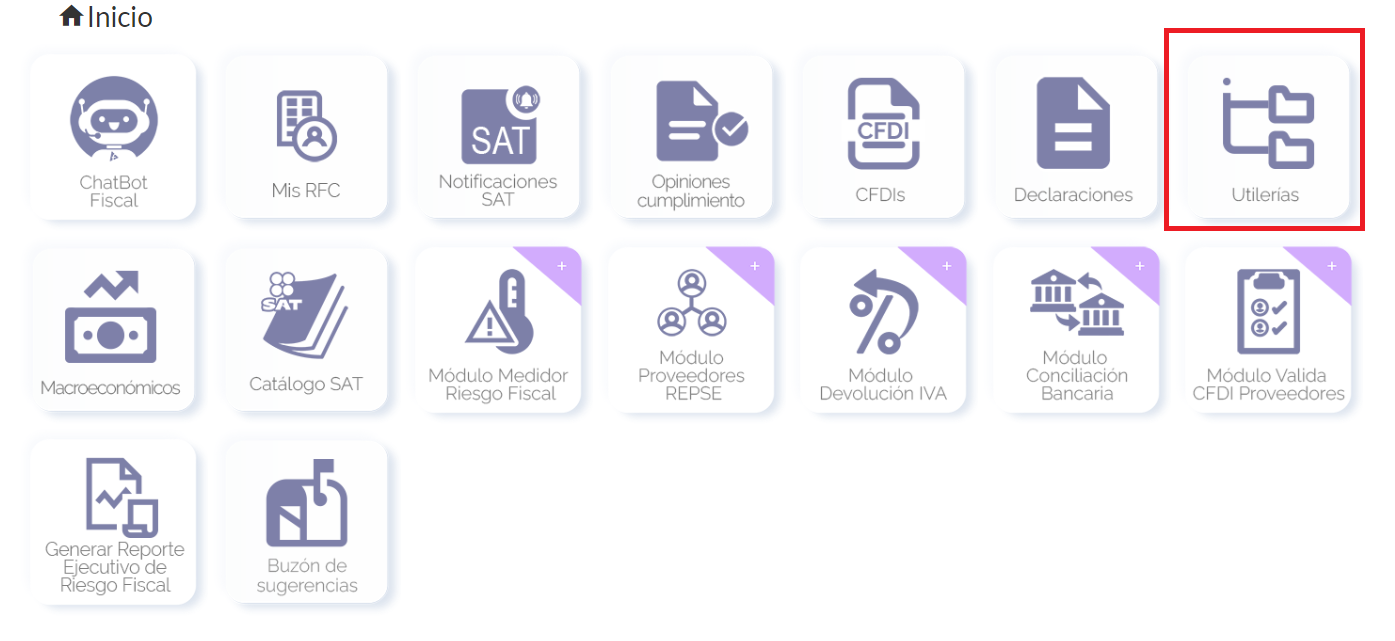
Go to the utilities vault.
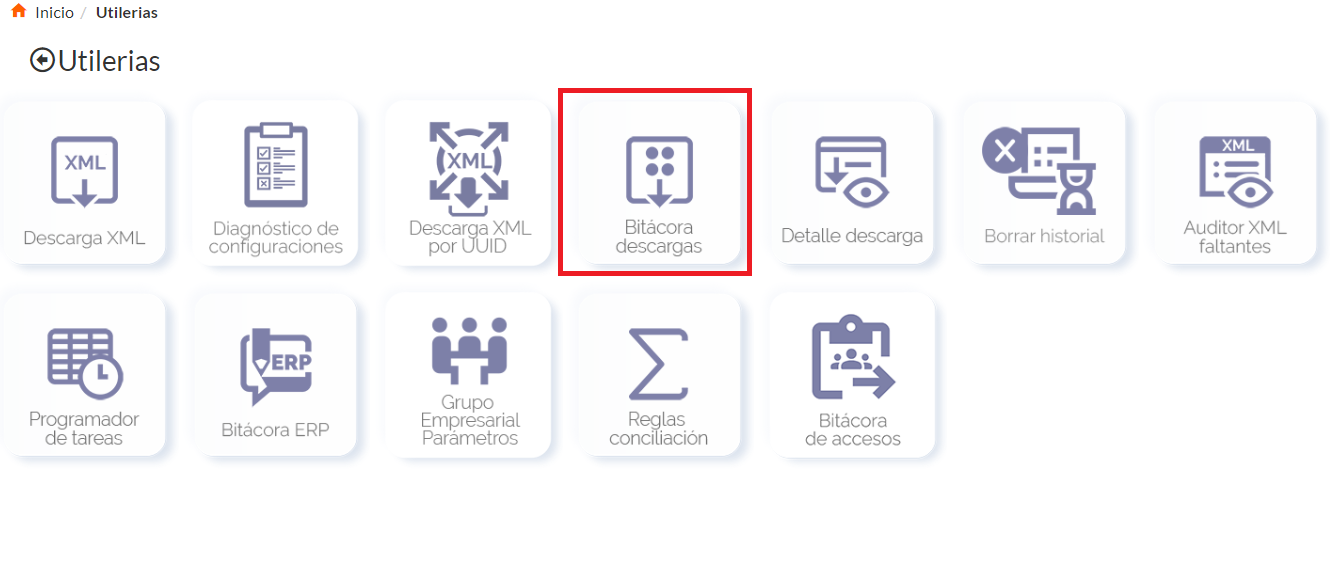
And click on the download log vault.
Click on the + sign.
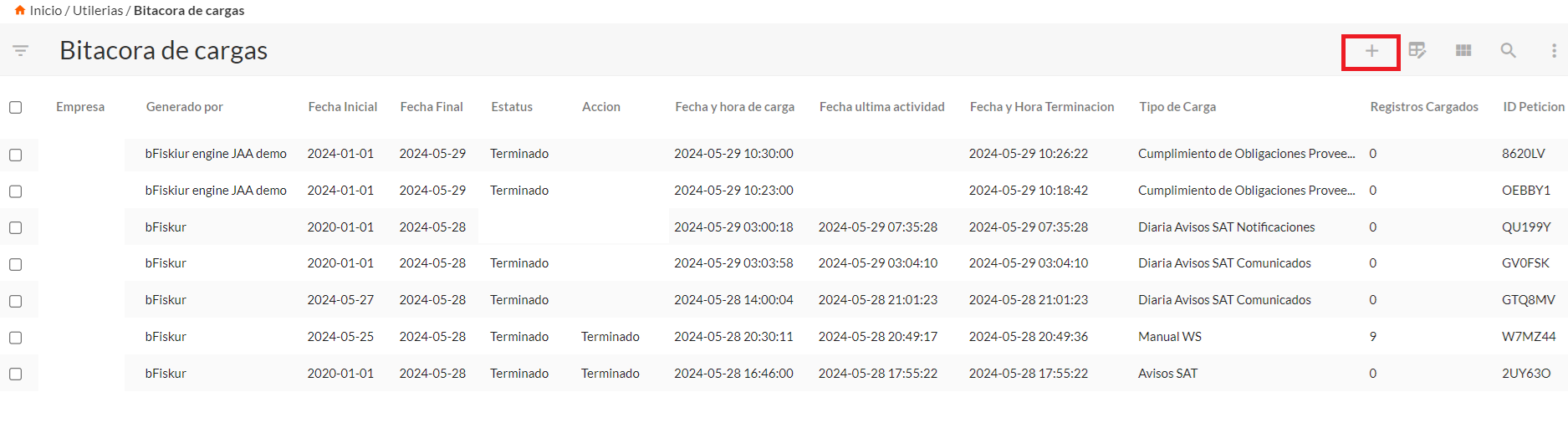
In company, enter the company for which you will run the service, in start/end date, the range where you will indicate to the robot to review the information, in process type select fiscal risk meter and click on the checkmark to save.
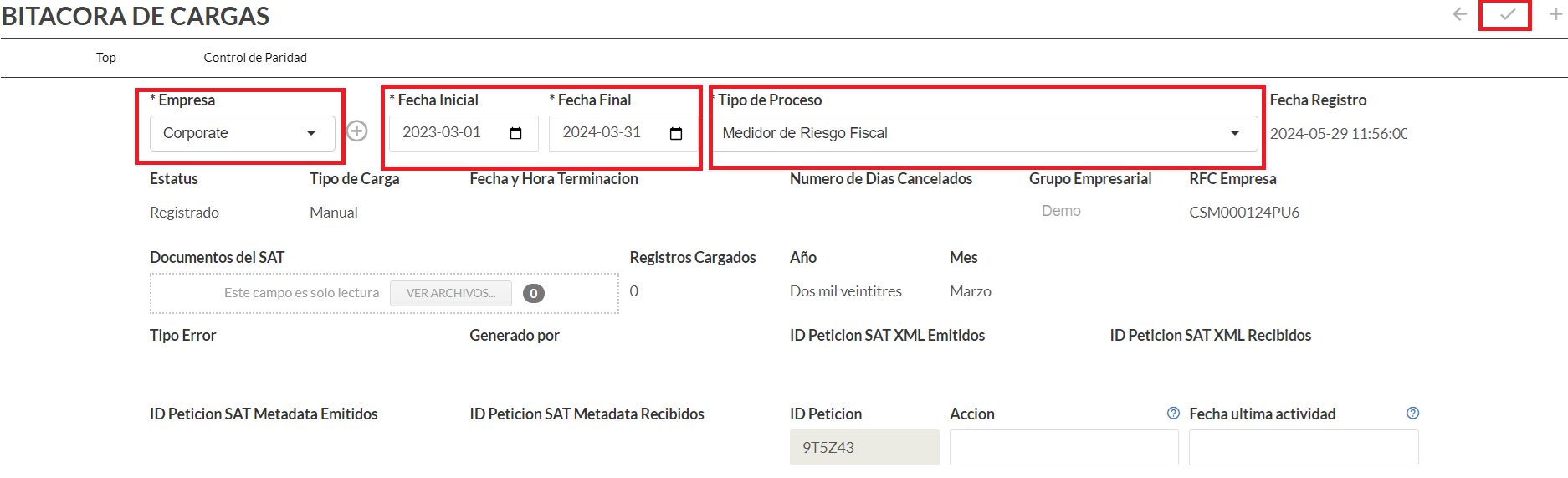
According to the universe of CFDIs of your company, the utility will take several minutes until the log is in finished status.
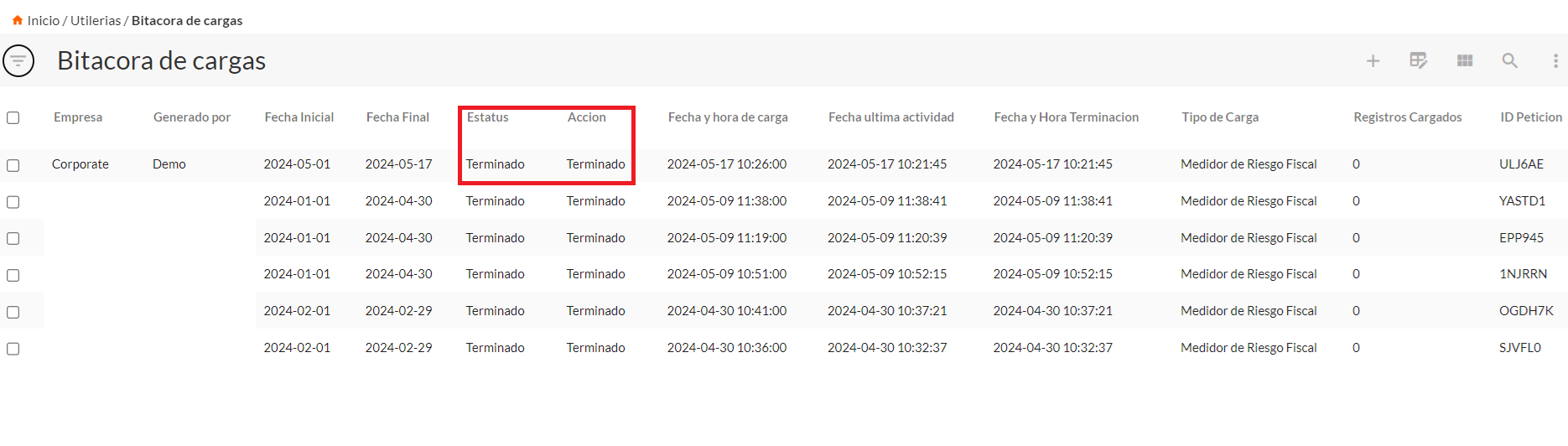
From this moment on, you can consult the fiscal risk meter vault where you will find the fiscal risks related to your transactions. The path is as follows:
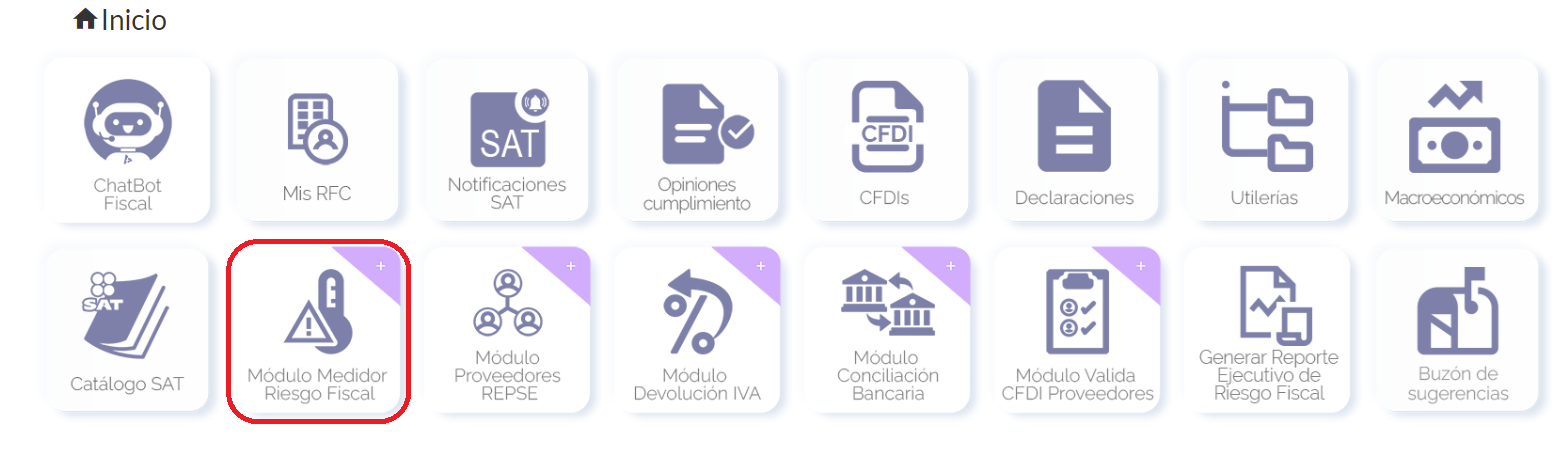
We return to the main menu and click on the fiscal risk meter vault.
You will be enabled 4 icons.
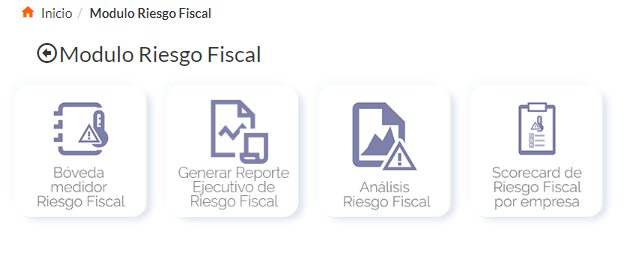
Click on the first one.
Inside, you will observe the risk factors that were generated from the robot's reviews created by the log from the previous step.
The default fields that will be displayed for each risk factor are as follows:
• Fiscal Year
• Short Name
• Period
• Tax Effect
• Date
• Number of documents
• ISR Risks
• Audit Risk
• Transferred Tax Risk
• PTU Risk
• Penalty Risk
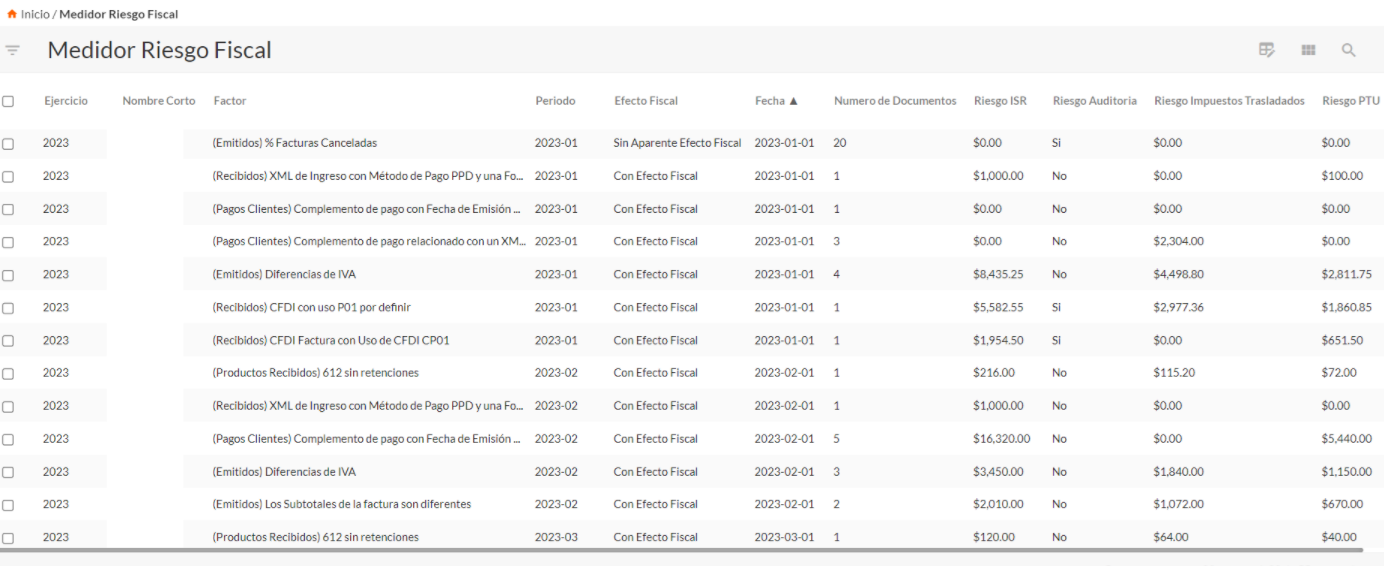
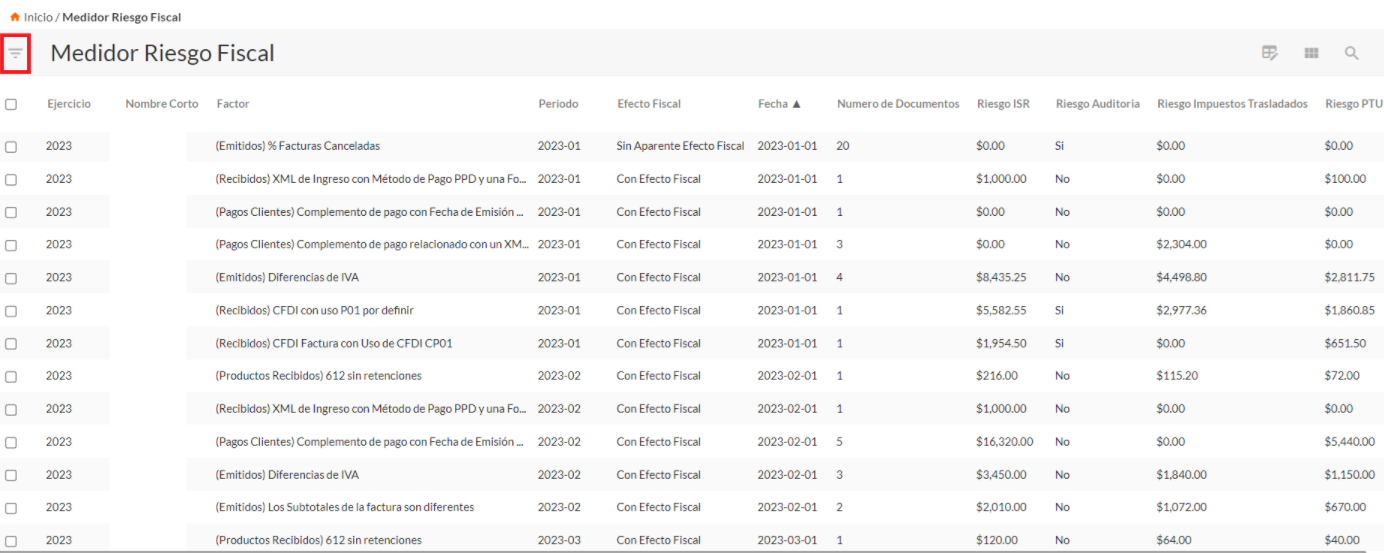
If you need any filtering, click on the left icon.
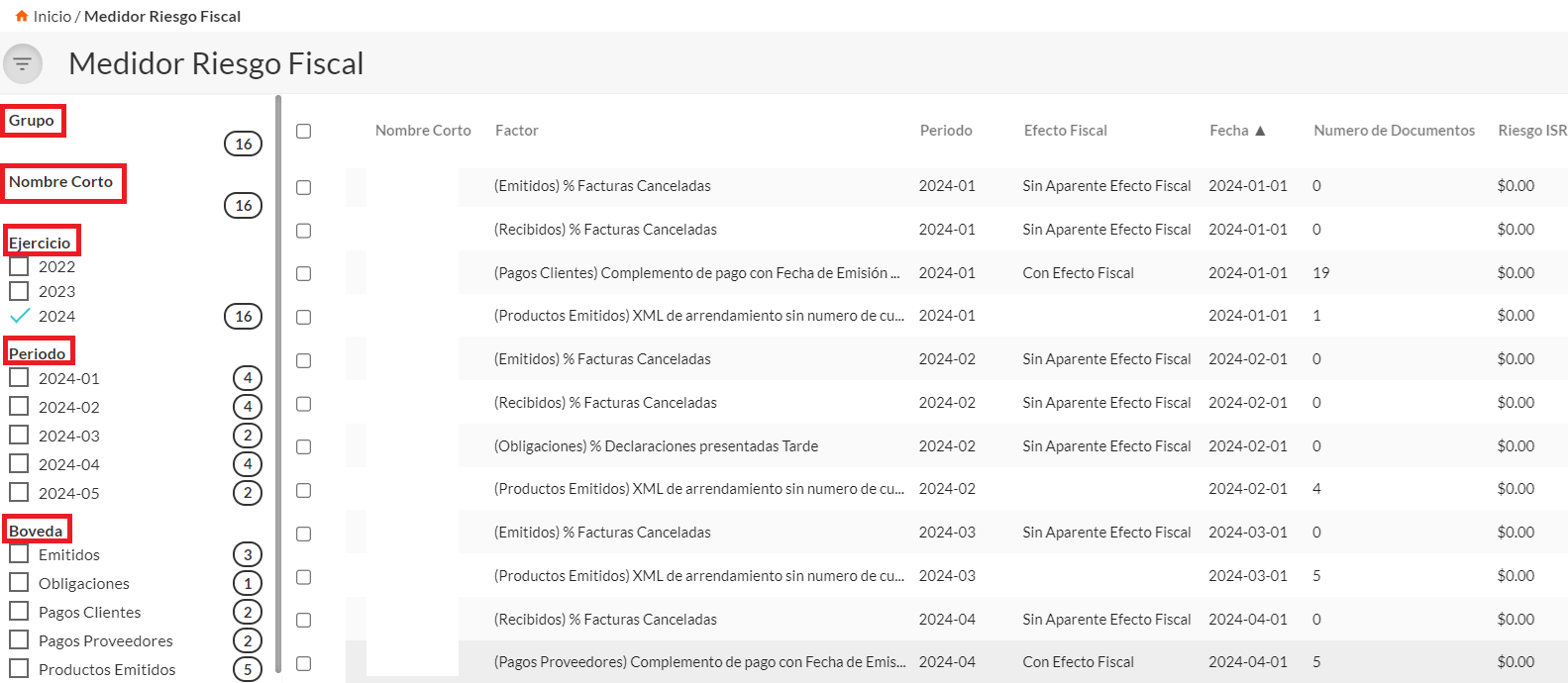
You can filter by the following data:
• Group
• Short Name
• Fiscal Year
• Period
• Vault
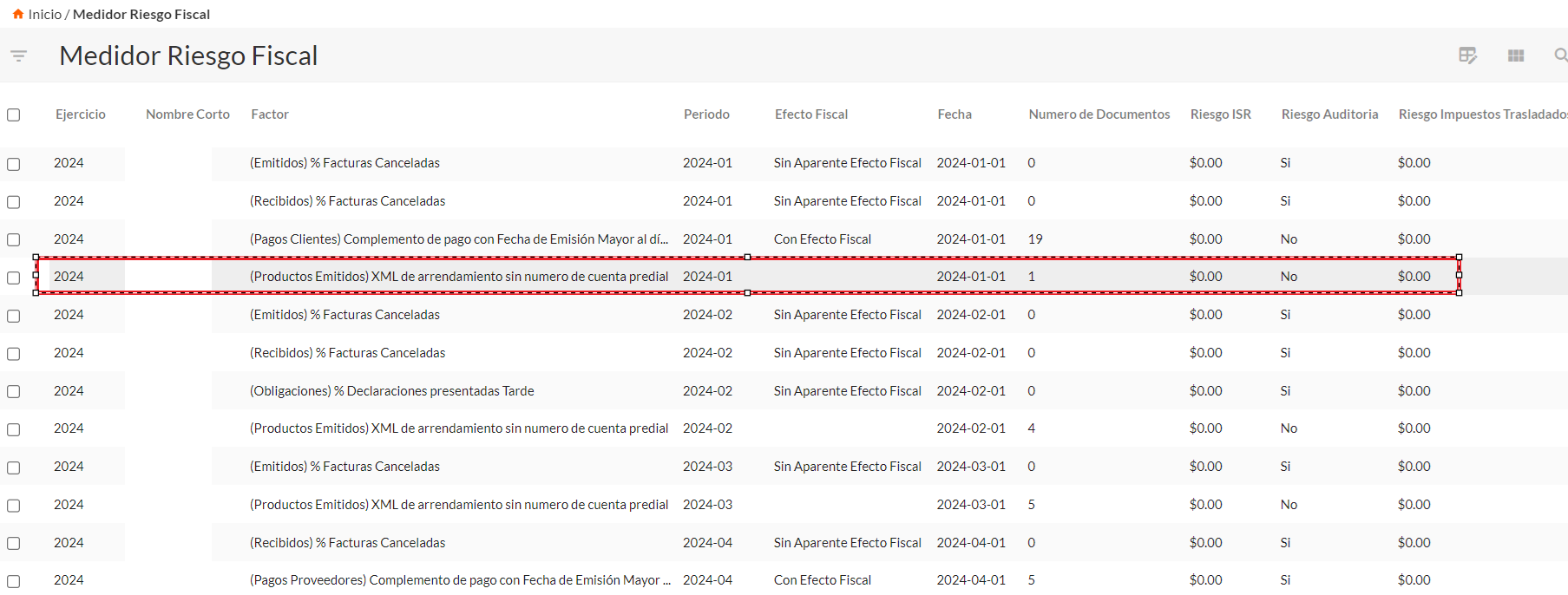
Regarding the analysis of each risk factor, click on the one you want to view.
Index
You are informed of the relationship to the company where the movement was identified, risk factor, fiscal year, period, the vault from which the documents originate, as well as the corresponding date.
In the tax risk section, you will see if it has a tax effect, if the risk is subject to cancellation of the digital seal, how many documents make up the risk factor, audit risk, amount of ISR risk, amount of PTU risk, amount of transferred tax risk, and penalty risk.
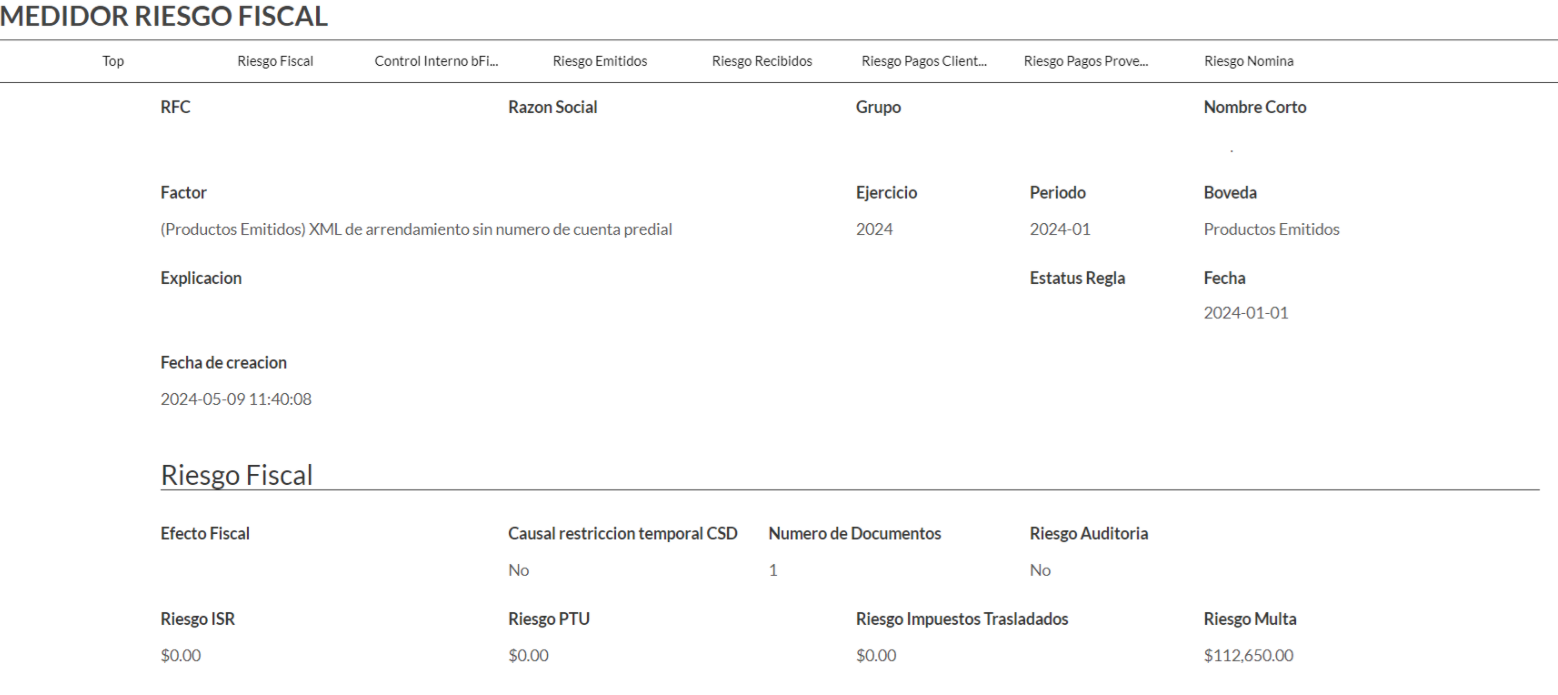
As an example, we present the risk in invoices issued in January where the leasing XML does not have a property account number; in this case, the robot detects a document with a penalty of $112,650.00, therefore, to view which invoice or invoices make up the risk, scroll down according to the type of related invoice, which can be issued, received, customer payments, supplier payments, as well as payroll receipts.
Within the details, you will see the fields for factor, period, short name, recipient RFC, recipient business name, and UUID.
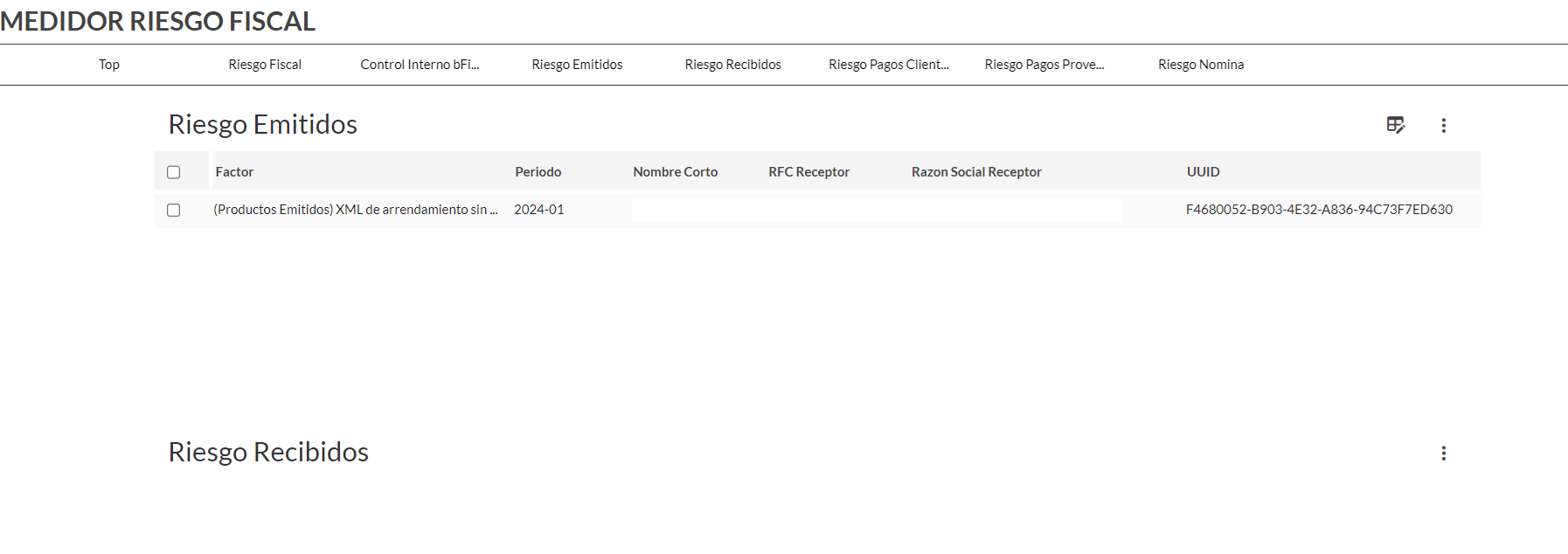
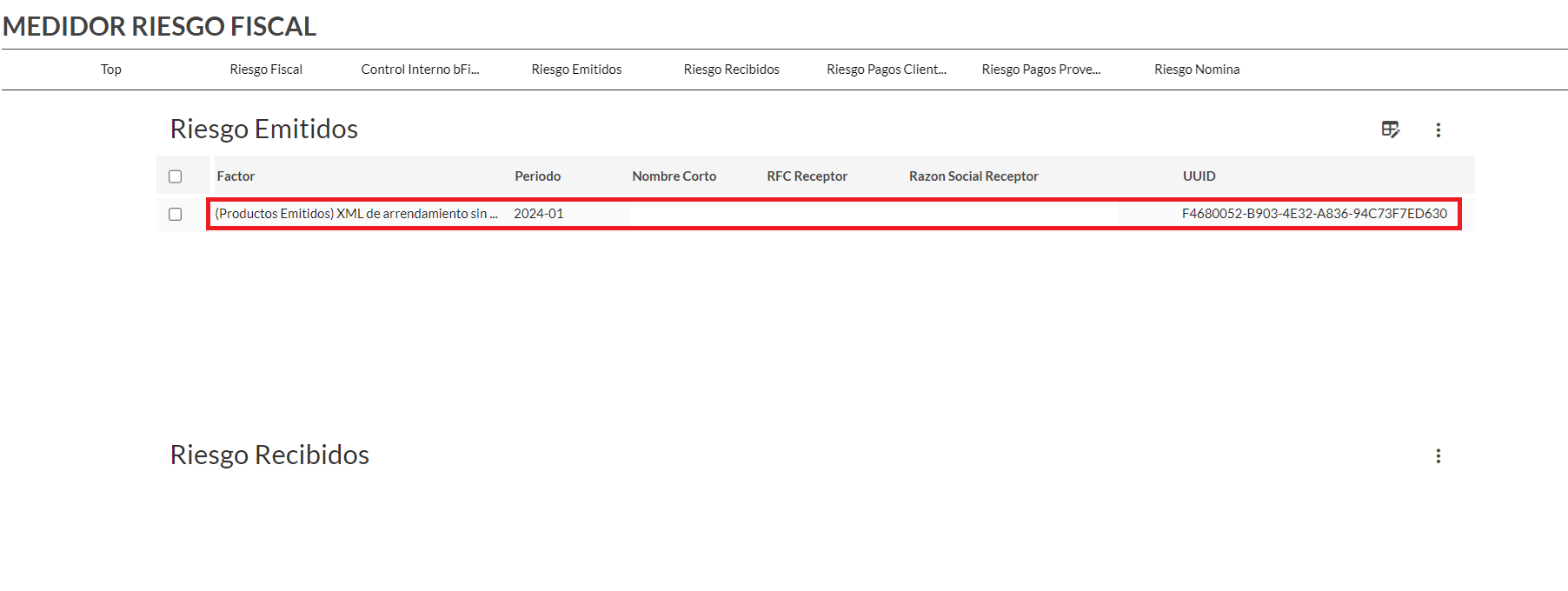
Click on any area of the tax folio.
It will specifically link you to the detail meter, where you will find the data of the related risk identifier, UUID, period, fiscal year, folio, recipient RFC, recipient business name, invoice status, factor, stamping date, company data, and fiscal risk data.
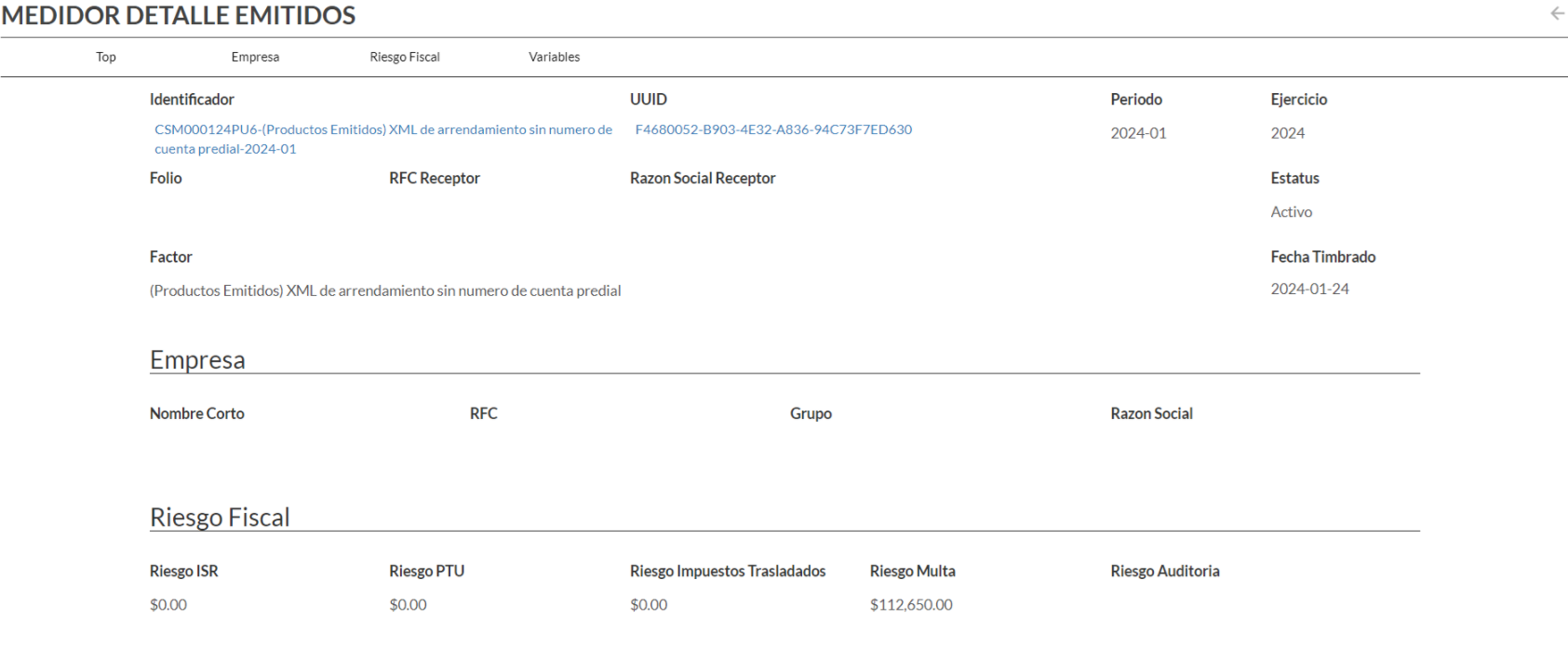
Do you want to keep browsing? Click on UUID.
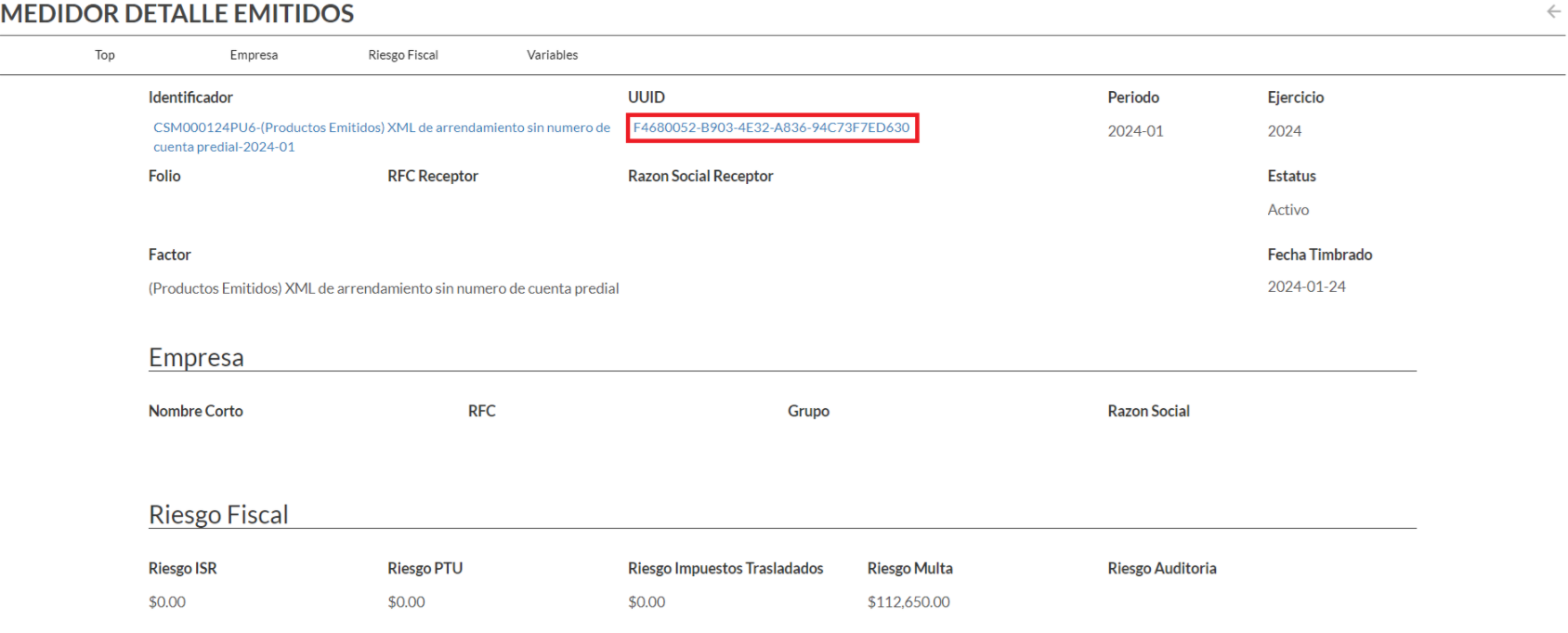
And this will take you to the SAT CFDI vault, where you can observe the composition of the XML data.
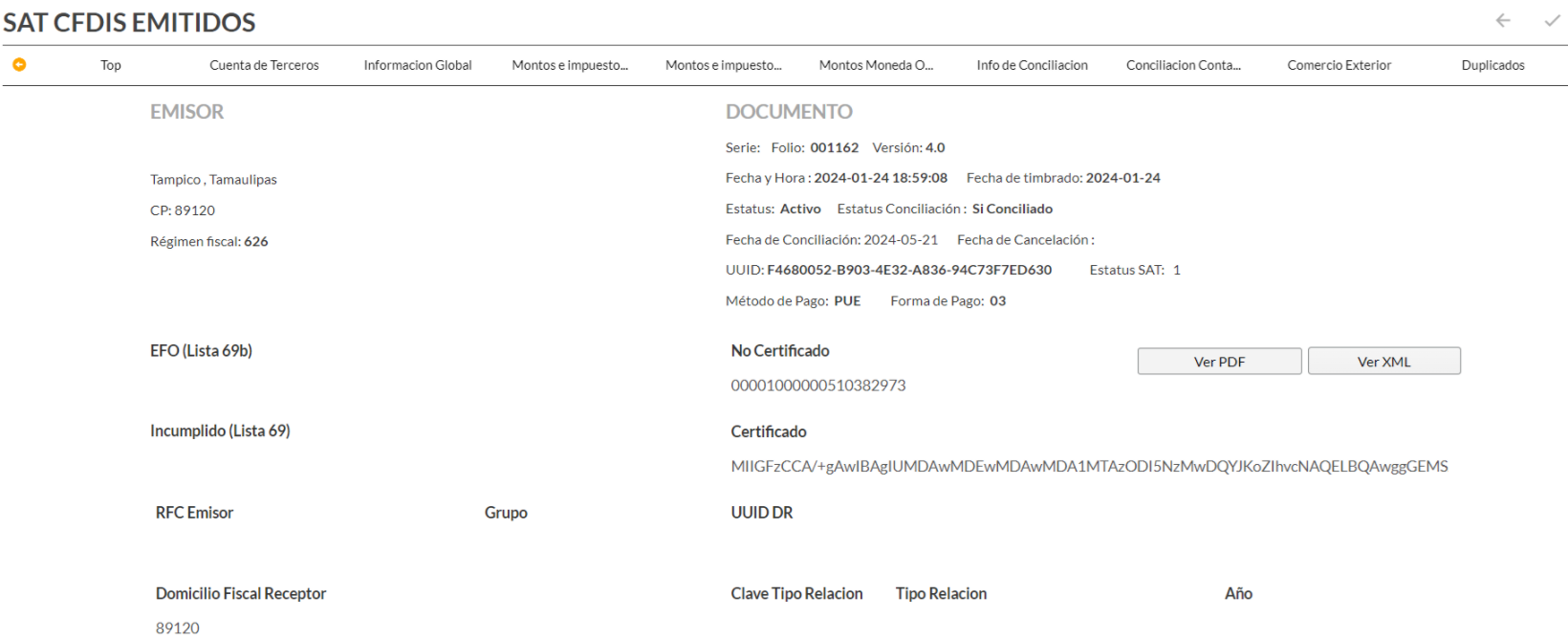
As an informative note of the example, real estate lease invoices must include the property tax account number according to art. 29-A Fracc. V inc. C. C.F.F. and if it is not included, it is considered a fine of up to $112,650 for issuing CFDI's that do not meet the requirements specified in this code Art.83 Fracc.II C.F.F.
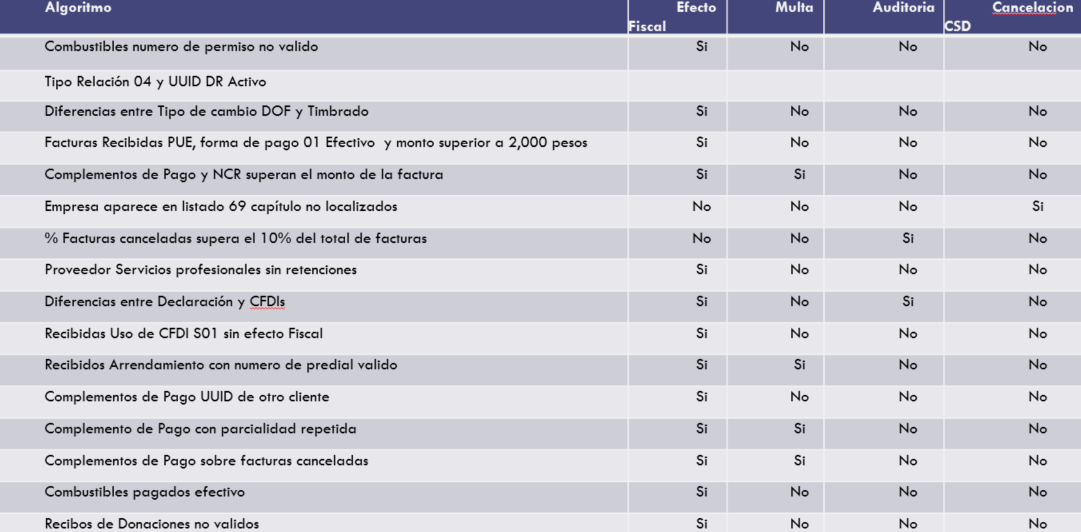
These are some fiscal risk algorithms that you can find in the risk meter.